Password Settings
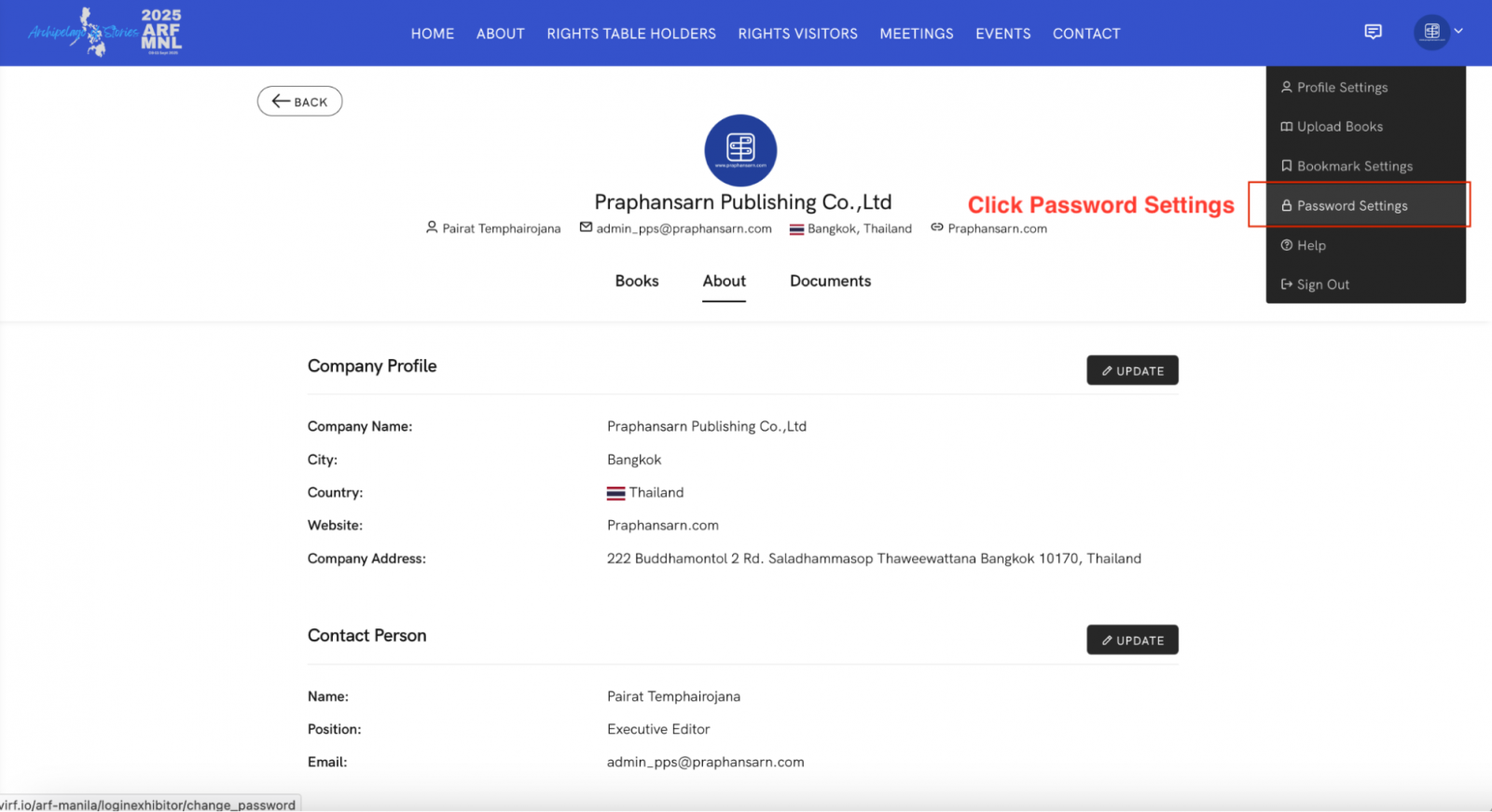
1.Click your profile picture at the top corner of the screen, then select Password Setting from the menu.
2.When the Password Setting window appears, enter the following information:
-
Old Password: Enter your current password.
-
New Password: Set a new password you wish to use.
-
Confirm New Password: Re-enter the new password to confirm.
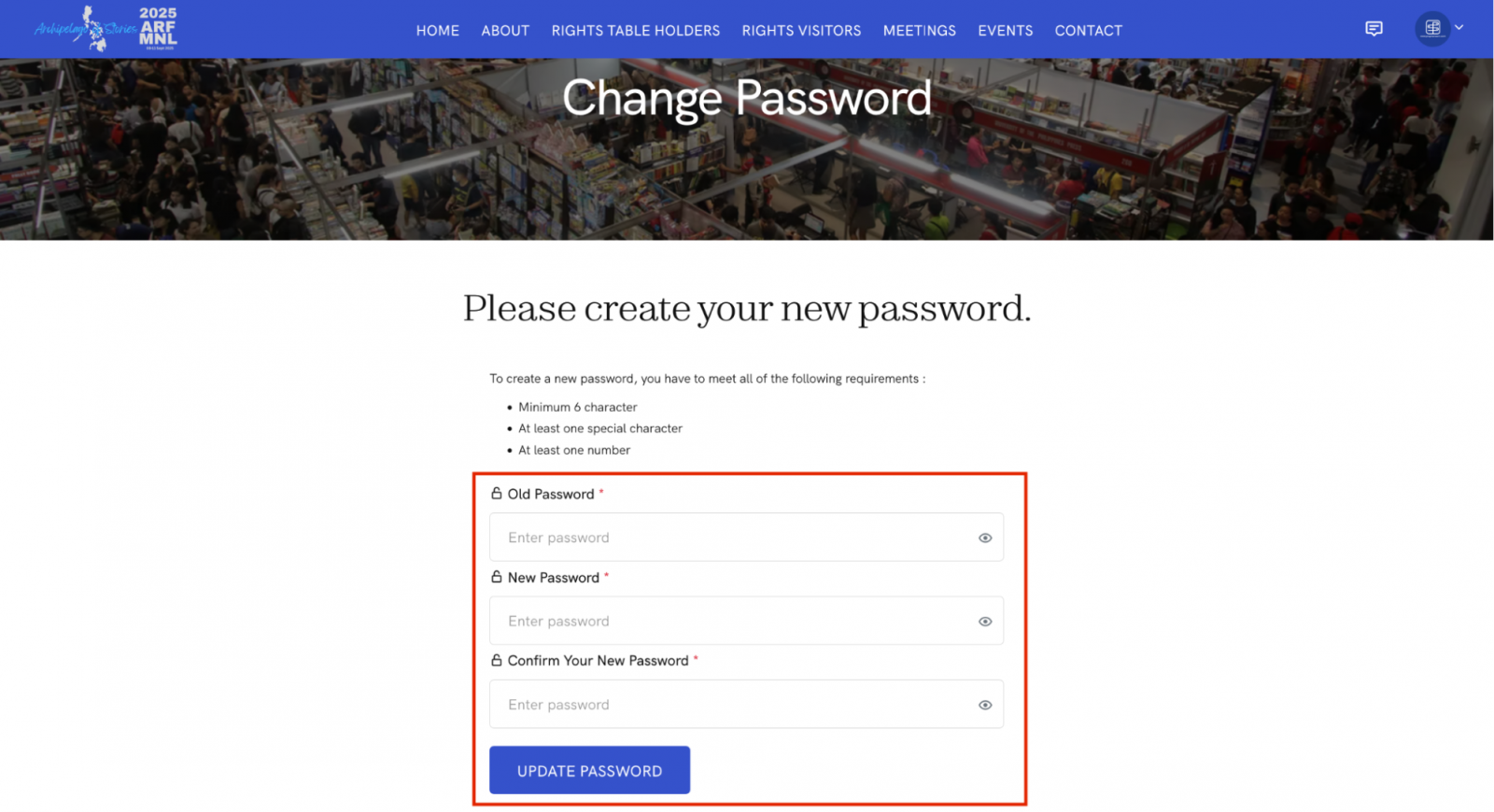
3.After verifying that all information is correct, click UPDATE PASSWORD. Once the update is successful, the system will automatically log you out. Please sign in again using your newly updated password.